 by
Wondershare Filmora 15.5.3.19727– Video Editing Software for Windows & Mac
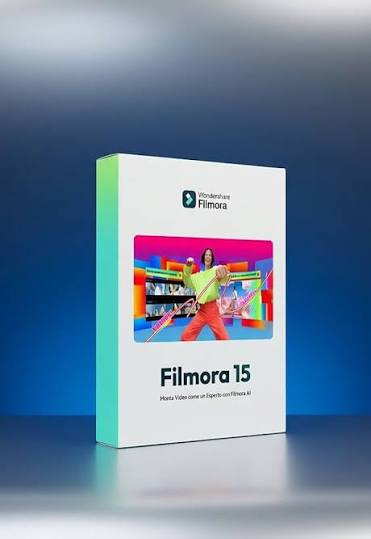
Wondershare Filmora Free Download is a powerful and user-friendly video editing application designed for beginners, content creators, YouTubers, and professional video editors. It provides a convenient way to create, edit, enhance, and export videos using a wide range of creative tools.
With Wondershare Filmora Full Version, users can trim clips, merge videos, add background music, apply transitions, create animated titles, and enhance footage with visual effects. Its intuitive interface makes video editing easier without requiring advanced editing experience.
Filmora also offers a collection of creative filters, graphic elements, transitions, titles, and AI-assisted editing tools that help users produce attractive videos for social media, presentations, tutorials, and personal projects.
What Makes Wondershare Filmora Useful?
Wondershare Filmora combines essential editing tools with creative features in one application. Users can import videos, images, and audio files from their computers and arrange them on a convenient editing timeline.
The application supports common media formats, including AVI, MP4, and WebM, depending on the version and export settings.
You can also perform several editing tasks, including:
- Crop and trim video clips.
- Split and merge multiple videos.
- Adjust brightness, contrast, saturation, and sharpness.
- Separate audio from video.
- Capture snapshots from video clips.
- Add background music and sound effects.
- Create animated text and titles.
- Adjust video speed for slow-motion and fast-motion effects.
- Export projects in supported video formats.
Filmora provides an accessible editing environment for users who want to create engaging video content.
Wondershare Filmora Main Features
Here are some of the useful features available in Wondershare Filmora:
- Edit, convert, and export video projects.
- Cut, trim, split, and merge video clips.
- Apply creative filters and color effects.
- Add professional-looking transitions.
- Preview video projects before exporting.
- Create attractive movies and presentations.
- Import videos in supported media formats.
- Export videos in different resolutions and formats.
- Add animated titles and text overlays.
- Extract audio from video clips.
- Capture still images from video footage.
- Create videos for YouTube and social media.
- Organize multiple media files on the editing timeline.
Wondershare Filmora Advanced Editing Features
1. Creative Video Effects
Enhance your footage with filters, transitions, graphic overlays, and visual effects. These tools can help transform ordinary video clips into more attractive projects.
2. Animated Titles and Text
Choose from different title styles and customize text, colors, fonts, sizes, and animations to make your videos more engaging.
3. Audio Editing
Add background music, adjust individual audio tracks, reduce unwanted background noise, and synchronize sound with your video.
4. Green Screen Editing
Use the chroma key feature to remove selected backgrounds and replace them with different images or video scenes.
5. Picture-in-Picture Editing
Place multiple video clips or images together using separate timeline tracks to create layered video compositions.
6. Slow Motion and Fast Motion
Adjust playback speed to create slow-motion sequences, fast-motion effects, and time-lapse-style videos.
7. Color Correction
Adjust color properties such as brightness, contrast, saturation, and white balance to improve the appearance of your footage.
8. 4K Video Editing
Compatible Filmora versions support editing and exporting high-resolution video projects, including 4K, depending on your hardware and software edition.
9. Screen Recording
Record computer screen activity for tutorials, demonstrations, educational videos, and presentations.
10. Video and Audio Separation
Separate audio from video clips to edit sound independently and achieve better control over your final project.
Wondershare Filmora Key Features
- Beginner-friendly video editing interface.
- Drag-and-drop editing workflow.
- Multiple video and audio timeline tracks.
- Creative filters and graphic overlays.
- Animated titles and text effects.
- Video transitions and motion graphics.
- Picture-in-picture editing.
- Green screen and chroma key tools.
- Audio enhancement and noise reduction.
- Slow-motion and fast-motion effects.
- Video cropping and resizing.
- Color correction and grading.
- Supported GIF import and export.
- High-resolution video export.
- Screen recording tools.
- Social media video creation.
- AI-assisted editing features.
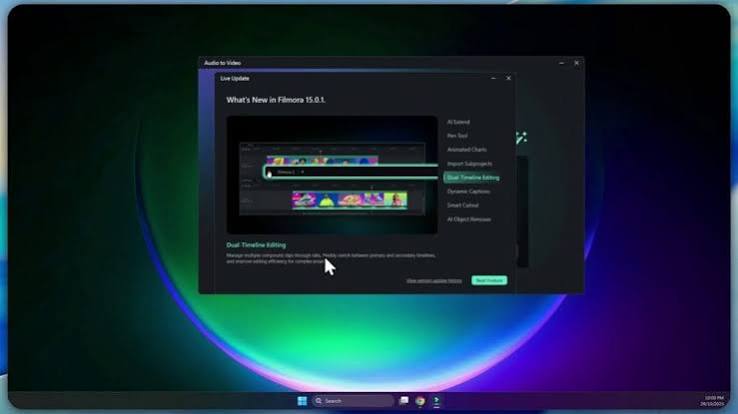
Wondershare Filmora System Requirements
Before installing Filmora, make sure your computer meets the requirements for your chosen version.
| Component | Recommended consideration |
|---|---|
| Operating System | Compatible 64-bit Windows |
| Processor | Supported Intel or AMD processor |
| RAM | 8 GB or more recommended |
| Hard Disk | Sufficient free storage for installation and projects |
| Graphics | Compatible GPU with updated drivers |
| Internet | Required for online features, registration, and updates |
For smoother editing, particularly with HD and 4K footage, a more powerful processor, additional RAM, and a compatible graphics card are recommended.
Check the official Wondershare website for the exact requirements of your selected release.
Is Wondershare Filmora Free?
Wondershare Filmora provides a free trial experience that allows users to explore its editing tools.
However, some features and export options may require a paid license. Videos exported through the free version may contain a watermark.
For watermark-free exports and additional features, review the available Filmora subscription and licensing options.
Frequently Asked Questions
What is Wondershare Filmora used for?
Wondershare Filmora is used for video editing, adding music, applying transitions, creating titles, improving footage, and producing videos for social media and other platforms.
Does Filmora support 4K videos?
Compatible Filmora versions support 4K video editing and exporting, provided the computer meets the necessary hardware requirements.
Is Filmora suitable for beginners?
Yes. Filmora has an intuitive interface and a range of accessible editing tools that make it suitable for beginners.
Can I add music to videos in Filmora?
Yes. You can import audio files, add background music, adjust sound levels, and edit audio tracks independently.
Can I use Filmora on Windows 10?
Compatible Filmora releases support Windows 10. Check the official system requirements for the version you intend to install.
Where can I download Wondershare Filmora?
You can download the official Filmora installer from Wondershare’s website.
Final Words
Wondershare Filmora is a useful video editing solution for beginners and experienced content creators who want to produce engaging videos. Its combination of video editing tools, transitions, animated titles, audio controls, color adjustments, and creative effects makes it suitable for many different video projects.
Whether you are creating YouTube videos, tutorials, presentations, or personal movies, Filmora offers a convenient editing workflow.
Visit the official Wondershare website to explore the latest version, download options, licensing information, and available features.
How to Download and Install Wondershare Filmora
Follow these steps to install the official version safely:
- Visit the official Wondershare Filmora website.
- Select the Windows download option.
- Download the official installation file.
- Open the downloaded installer.
- Follow the installation instructions.
- Launch Wondershare Filmora after installation.
- Sign in or register with your Wondershare account if required.
- Explore the available editing tools and start creating videos.
Important: Download Filmora from a trusted source. Avoid unofficial patches, unknown activation files, and installers that ask you to disable antivirus protection.