
 by
Adobe Acrobat Pro DC 2027 Full Version – Download for Windows
Adobe Acrobat Pro DC 2027 is a powerful PDF management application designed to help users create, edit, convert, organize, sign, and share PDF documents. It provides a wide range of tools for working with digital documents, making it useful for students, professionals, businesses, and everyday computer users.
With Adobe Acrobat Pro 2027 Crack, you can edit PDF text and images, convert documents into different file formats, combine multiple files, add electronic signatures, and protect important documents. Its user-friendly interface makes managing PDF files easier and more convenient.
Whether you need to edit an existing PDF, prepare professional documents, or organize important files, Adobe Acrobat Pro offers a comprehensive collection of PDF tools.
What Is Adobe Acrobat Pro DC 2027?
Adobe Acrobat Pro is a professional PDF editor developed by Adobe. It is designed to provide advanced document management features beyond basic PDF viewing.
Users can create PDFs from different document formats, edit existing files, rearrange pages, add comments, and convert PDFs into Microsoft Office formats such as Word and Excel.
The application also includes document security features, electronic signatures, form creation, and tools for comparing PDF documents.
Note: The 2027 edition and its specific features should be verified against Adobe’s official release information. Avoid treating unofficially advertised versions as confirmed releases.
What Can Adobe Acrobat Pro DC Do?
Adobe Acrobat Pro provides several useful features for handling PDF documents.
1. Edit PDF Documents
Edit existing PDF files by modifying text, adjusting images, replacing content, and making changes to document layouts. This is especially helpful when you need to update an existing document without recreating it from scratch.
2. Convert PDF Files
Convert PDF documents into other popular file formats, including Microsoft Word, Excel, and PowerPoint. You can also create PDFs from supported document and image formats.
3. Create PDF Documents
Create professional PDF documents from supported files, including text documents, spreadsheets, presentations, and images.
4. Combine Multiple PDFs
Merge multiple PDF files into one organized document. You can also rearrange, delete, rotate, and extract individual pages.
5. Electronic Signatures
Add electronic signatures to PDF documents and prepare files for electronic signing. This feature is useful for contracts, forms, business documents, and other paperwork.
6. Protect PDF Documents
Use available security options to help protect sensitive documents. Depending on the document and security settings, you can apply passwords and restrict certain activities.
7. Scan and OCR Features
Use optical character recognition (OCR) to recognize text in scanned documents and make supported files searchable and easier to work with.
You May Also Like Driver Easy Pro Key Full Version Free Download [2027]
Adobe Acrobat Pro DC 2027 Key Features:
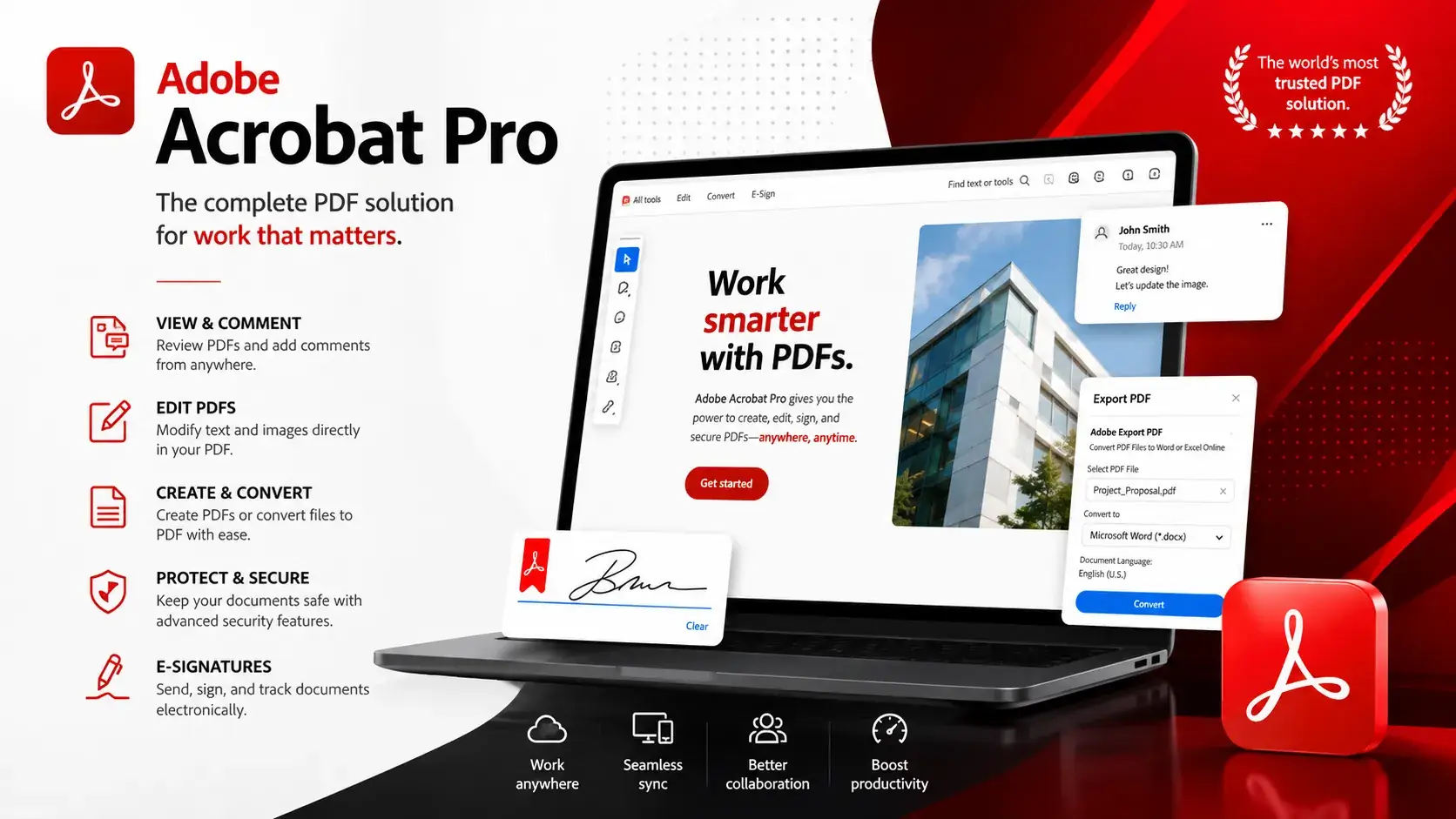
- Advanced PDF Editing: Modify text, images, and other PDF content.
- PDF Conversion: Convert PDF documents into Word, Excel, and other supported formats.
- PDF Creation: Create PDF files from various supported document types.
- Merge PDF Files: Combine several PDF documents into one file.
- Page Organization: Rearrange, rotate, extract, and remove PDF pages.
- Electronic Signatures: Sign documents and prepare files for electronic signing.
- Document Protection: Apply supported security and password settings.
- OCR Technology: Recognize text in scanned documents.
- PDF Forms: Create, fill out, and manage interactive forms.
- Document Comparison: Compare PDF documents to identify changes.
- Comments and Annotations: Highlight text, add notes, and collaborate on documents.
- Cloud Integration: Access supported cloud document services.
- User-Friendly Interface: Work with PDF documents through an organized interface.
Why Choose Adobe Acrobat Pro?
Adobe Acrobat Pro is a suitable choice for people who regularly work with PDF documents. Instead of using separate applications for editing, converting, signing, and organizing files, users can access many document management tools in one place.
It is particularly useful for office work, educational assignments, business paperwork, digital forms, and professional document preparation.
Adobe Acrobat Pro System Requirements
System requirements depend on the specific Acrobat release and operating system.
| Component | Requirement |
|---|---|
| Operating System | Supported Windows version |
| Processor | Compatible Intel or AMD processor |
| RAM | Depends on the installed release |
| Storage | Sufficient free disk space |
| Display | Supported screen resolution |
| Internet | Required for activation and online services |
| Permissions | Administrator access may be required |
Always check Adobe’s official system requirements before installing a particular release.
How to Download and Install Adobe Acrobat Pro
Follow these steps to install Adobe Acrobat Pro safely:
- Visit the official Adobe Acrobat website.
- Choose the available Acrobat Pro subscription or trial option.
- Sign in using your Adobe account.
- Download the official installation application.
- Open the downloaded setup file.
- Follow the installation instructions.
- Launch Adobe Acrobat Pro after installation.
- Sign in and activate the software using your valid Adobe subscription or license.
Frequently Asked Questions (FAQs)
What is Adobe Acrobat Pro used for?
Adobe Acrobat Pro is used to create, edit, convert, sign, organize, and protect PDF documents.
Can Adobe Acrobat Pro edit PDF files?
Yes. Acrobat Pro provides tools for editing PDF text, images, pages, and other document elements.
Can I convert PDF to Word?
Yes. Adobe Acrobat Pro supports converting PDF documents into Microsoft Word and other supported formats.
Does Adobe Acrobat Pro support OCR?
Yes. Its OCR functionality can recognize text in scanned documents and help make them searchable.
Is Adobe Acrobat Pro available for Windows 11?
Adobe Acrobat Pro supports compatible Windows systems. Check Adobe’s current system requirements for the specific release.
Is Adobe Acrobat Pro free?
Adobe Acrobat Reader offers free PDF viewing and basic document functionality. Advanced Acrobat Pro features generally require a paid subscription or eligible trial.
Final Words
Adobe Acrobat Pro Crack is a comprehensive PDF solution for anyone who needs advanced document editing and management tools. From editing and converting PDFs to adding electronic signatures and protecting important documents, it offers a wide range of useful features.
If you regularly work with digital documents, Adobe Acrobat Pro can help make your workflow more organized, efficient, and professional.


One thought on “Adobe Acrobat Pro DC 2027 Full Free Download [Latest]”